

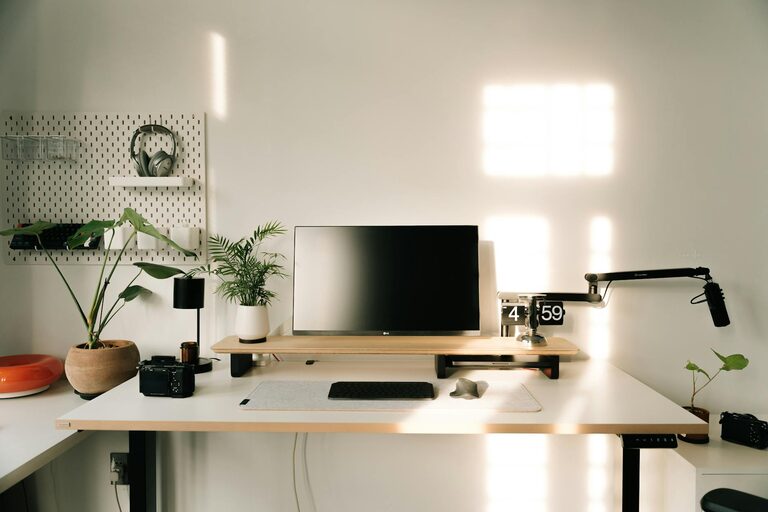
Creating a productive home office space is essential for anyone working remotely or managing tasks from home. A well-designed workspace can improve focus, reduce distractions, and enhance overall work satisfaction. Whether you have a dedicated room or a small corner, these tips will help you shape a functional and inspiring environment.
Choose the Right Location
Selecting the best spot for your home office is the first step toward productivity. Ideally, find a quiet area with minimal foot traffic that allows you to work without interruptions. If possible, pick a place with natural light to reduce eye strain and lift your mood.
Consider the Following:
– Near a window for daylight
– Away from noisy appliances or common areas
– Access to power outlets and internet connection
Invest in Comfortable and Functional Furniture
Comfort is key when spending hours at a desk. Invest in an ergonomic chair that supports your back and encourages good posture. Your desk should have enough surface area for your computer, paperwork, and other essentials without feeling cramped.
Tips for Furniture Setup:
– Adjustable chair height and lumbar support
– Desk at elbow height when seated
– Use a footrest if your feet don’t touch the ground
Organize Your Workspace
A clutter-free environment helps create a clear mind. Keep your desk tidy with storage solutions like drawers, shelves, or organizers for stationery and documents. Label files and use trays to separate incoming and outgoing tasks.
Optimize Lighting
Good lighting reduces eye fatigue and improves concentration. Use a combination of natural light and artificial lighting to brighten your space evenly. A desk lamp with adjustable brightness can be helpful during late hours.
Minimize Distractions
Identify common distractions in your home office and take steps to reduce them. This could include noise-cancelling headphones, closing the door during work hours, or setting boundaries with family members.
Personalize Thoughtfully
Adding personal touches like plants, artwork, or inspirational quotes can make your office more inviting. However, keep personalization balanced to avoid clutter.
Technology and Tools
Ensure your technology supports productivity. Invest in a reliable computer, fast internet, and other tools such as a good quality headset, webcam, or printer as needed.
Helpful Accessories:
– Cable organizers to keep cords tidy
– A second monitor for multitasking
– Keyboard and mouse ergonomic setup
Maintain a Healthy Routine
Your workspace is part of your daily habits. Incorporate small breaks, stretch regularly, and keep your space clean to maintain mental and physical well-being.
Final Thoughts
Designing a productive home office takes time and experimentation. By focusing on comfort, organization, and minimizing distractions, you can create a space that enhances your work-from-home experience and helps you stay motivated every day.