

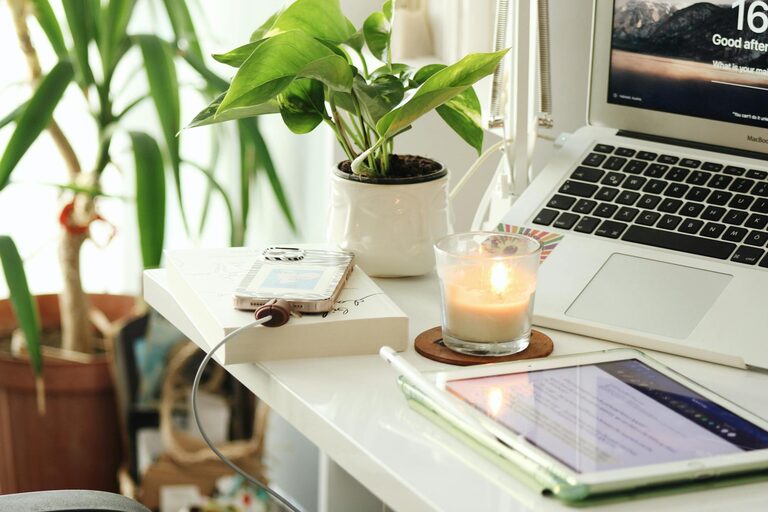
Creating a cozy and productive home office space is essential for anyone working from home or managing personal projects. A thoughtfully designed workspace can enhance focus, reduce stress, and make your workday more enjoyable. Whether you have a dedicated room or a small corner in your living area, these tips will help you set up a home office that feels inviting and supports your productivity.
Choose the Right Location
Selecting the proper spot for your home office is the first step. Aim for a quiet area with minimal noise and distractions. If possible, pick a space with natural light to keep your mood elevated and help maintain your circadian rhythm. Avoid high-traffic zones where interruptions are frequent.
Tips for Location Selection:
– Near a window for daylight and fresh air.
– Away from TV or noisy appliances.
– Separate from social and relaxation spaces.
Invest in Comfortable Furniture
Comfort is key when working for long hours. Invest in a good-quality ergonomic chair and a desk that fits your space and work style. Proper posture helps prevent back and neck pain, so adjust your chair and monitor height accordingly.
Furniture Essentials:
– Ergonomic chair with adjustable height and lumbar support.
– Desk with enough surface area for your equipment.
– Footrest if needed for added comfort.
Organize Your Supplies
Clutter can be distracting and reduce efficiency. Keep your workspace tidy by organizing your supplies and documents. Use storage solutions such as shelves, filing cabinets, or desk organizers to keep everything in its place.
Organizational Hacks:
– Use cable management clips to reduce wire clutter.
– Designate drawers or bins for stationery.
– Label storage containers for easy access.
Personalize Your Space
Adding personal touches can create a warm, welcoming environment that motivates you. Choose items that inspire you without cluttering your desk space.
Personalization Ideas:
– Framed photos or artwork.
– Small plants for a touch of nature.
– Inspirational quotes or desk accessories.
Optimize Lighting
Good lighting reduces eye strain and enhances focus. Combine natural light with layered artificial lighting such as task lamps and overhead lights. Avoid harsh glare on your computer screen.
Lighting Tips:
– Use adjustable desk lamps with soft white bulbs.
– Position your monitor perpendicular to windows to prevent glare.
– Consider a daylight bulb to simulate natural light in the evenings.
Establish Clear Boundaries
To maintain productivity, set clear boundaries between work time and personal time. Inform household members about your work schedule and create signals that show when you shouldn’t be disturbed.
Boundary Strategies:
– Use a dedicated workspace separated by a room divider if needed.
– Wear headphones to indicate focus mode.
– Keep regular working hours to maintain routine.
Incorporate Technology Wisely
Choose reliable technology that supports your work without causing frustration. Invest in a good internet connection, comfortable keyboard, mouse, and possibly noise-canceling headphones.
Technology Considerations:
– Backup solutions for your files.
– Video conferencing tools with good cameras and microphones.
– Ergonomic peripherals to reduce repetitive strain.
Keep Fresh Air and Breaks in Mind
Ventilation is often overlooked but is critical for comfort and concentration. Open a window regularly or use an air purifier. Also, schedule short breaks to stretch, hydrate, and reset your mind.
Wellness Tips:
– Use reminders to stand or stretch every hour.
– Keep a water bottle nearby.
– Add scent options like essential oils to refresh.
Final Thoughts
Designing a cozy and productive home office doesn’t require a massive budget or space. Simple adjustments and thoughtful organization can transform your workspace. Prioritize comfort, minimize distractions, and personalize your area to create an atmosphere where you can focus and feel good throughout the workday. With these tips, your home office can become a favorite spot that helps you achieve your best work.